Web UI reference and settings
Standing permissions, merge-policy /settings routes, theme modes, room forks, UI component specifications and refusal codes for the Web UI.
Contents
- What each standing may do
- Settings
- Routines
- Theme
- Forks
- Install banner unsafe codes
- Room page components
- Approval card and rule classes
- Action refusal reasons
What each standing may do
A standing is cumulative: watcher, then collaborator, then owner. The approver flag adds
deciding on top of any of them. The driver is whoever holds the driver token, whatever their role.
agents-admin is owner and approver everywhere. The broker checks every action; a hidden
button is a courtesy. Source: internal/policy/policy.go.
| Action | Watcher | Collaborator | Owner | Approver flag | Driver |
|---|---|---|---|---|---|
| Read the room, live | yes | yes | yes | yes | |
| Fork | yes | yes | yes | yes | |
| Chat (a message no agent receives) | yes | yes | yes | ||
| Queue a message for the next run | yes | yes | yes | ||
| Remove a queued message | yes, your own | yes, your own | yes, any | ||
| Steer the running agent (web only) | yes | ||||
| Interrupt (web only) | yes | ||||
| Promote a queued message to a steer (web only) | yes | ||||
| Hand a task to a role (start a run) | yes | yes | |||
| Request the driver token (web only) | yes, if not the holder | yes, if not the holder | |||
| Give the driver token (web only) | yes | ||||
| Take the driver token (web only) | yes | ||||
| Decide an approval (web only) | yes | yes | |||
| Invite, change roles, close | yes |
Reading the table:
- Web only means a token issued to maku is refused, because a local agent could run maku. Chat, queue, fork and start a run work from either client.
- Steering is the driver’s alone. An owner who is not the driver takes the token (with a reason) before steering.
- Without the driver token, a message sent from the composer can be posted to the room or queued; the steer option is disabled. With no agent in the room it is not offered at all. A draft whose steer option goes away (the token moved, the run ended) stays, and the composer asks where it should go.
- A sealed room accepts no action. Only its owner or an admin may fork it.
- An agent run can read and post in its own room and never decides an approval; only the broker’s policy engine can decide on a system’s behalf.
Settings
With policyManagement.promotion on, /settings opens the merge-policy pages; off, they are a
404. Nothing links to them from the room list yet: open the address.
| Page | Shows |
|---|---|
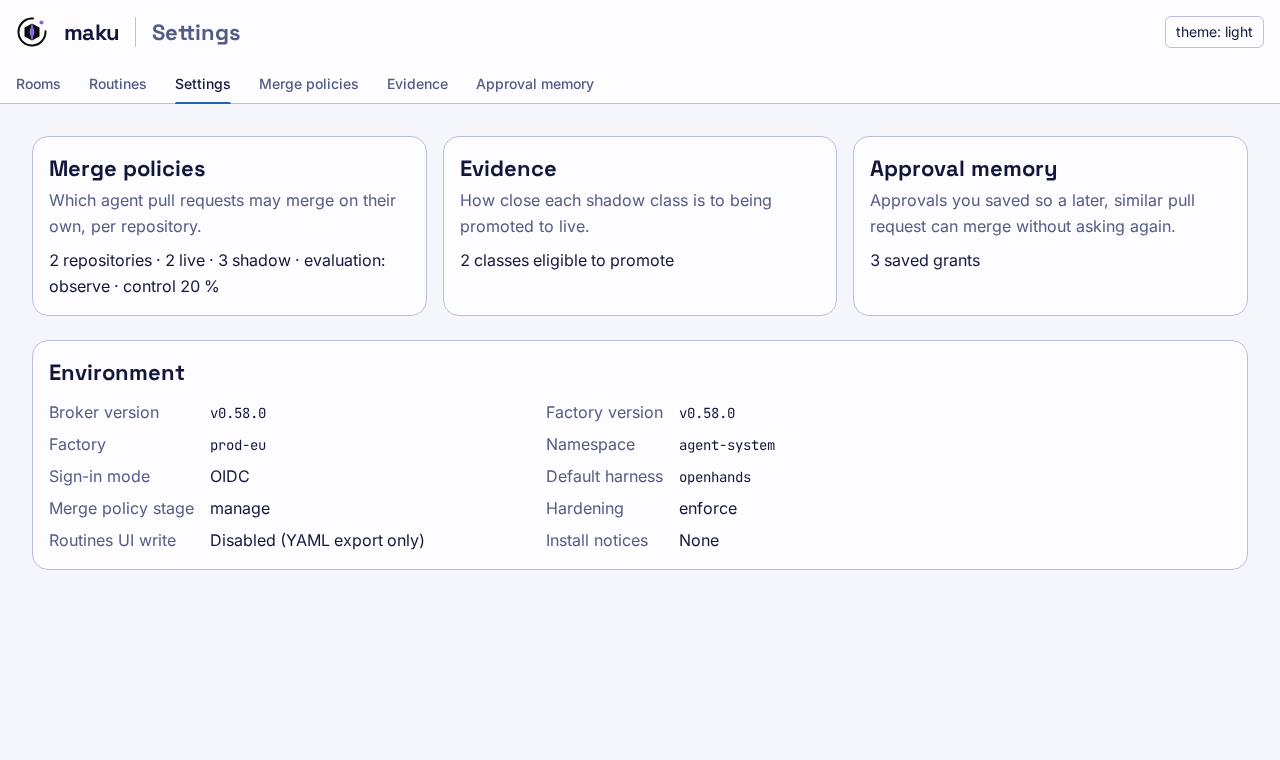
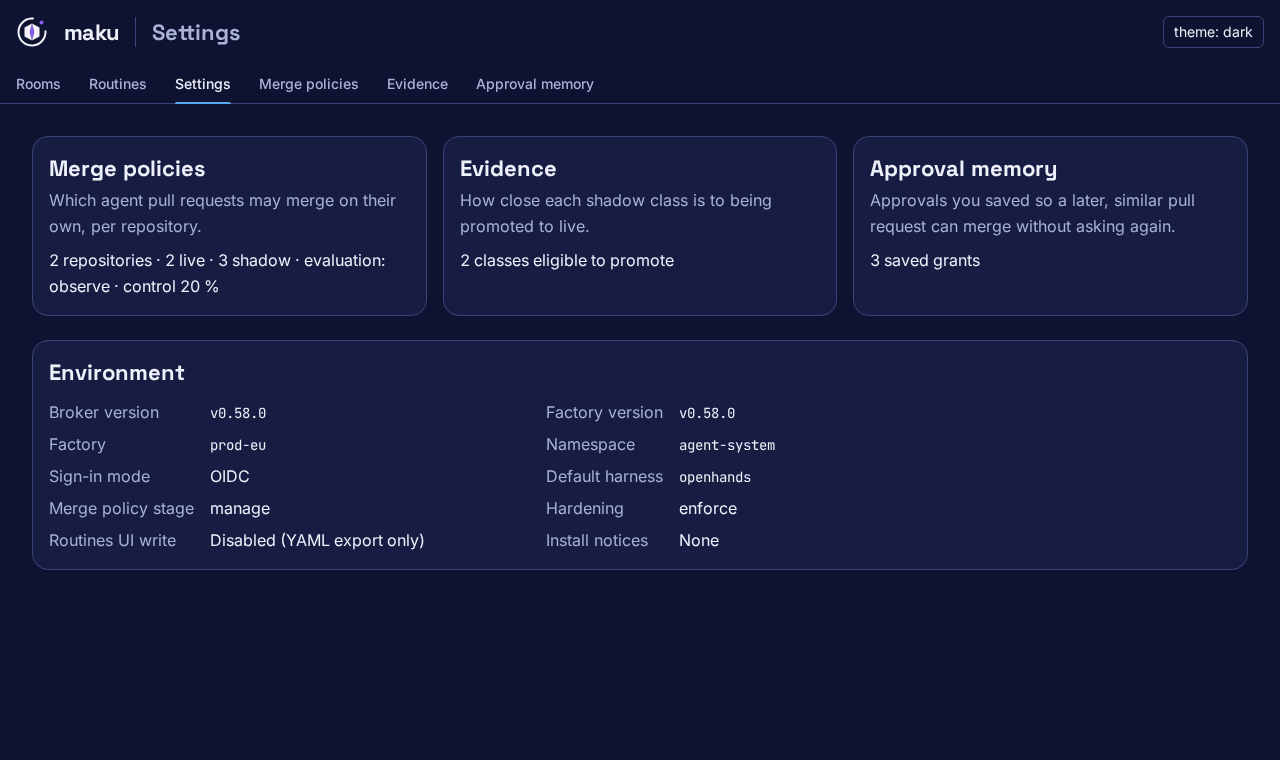
/settings | Section cards (merge policies, evidence, approval memory) with live counts; the merge policies card also reads the factory’s team evaluation: evaluation: observe · control 20 %. Below the cards, an Environment panel prints the broker and factory Maku versions (flagging version skew), factory name, namespace, sign-in mode, default harness, merge policy stage, hardening mode, routines UI write setting, and install notices from GET /api/install (light, dark) |
/settings/merge-policies | One row per repository: pull requests merged automatically, shadow decisions that would have merged, decisions that waited in the last seven days, and the policy closest to going live. The table draws first; the three decision counts show … until each repository’s decisions are read, then fill in. A health note appears only for a refused binding. The policy catalog below links each reusable policy by what it allows and how many repositories use it |
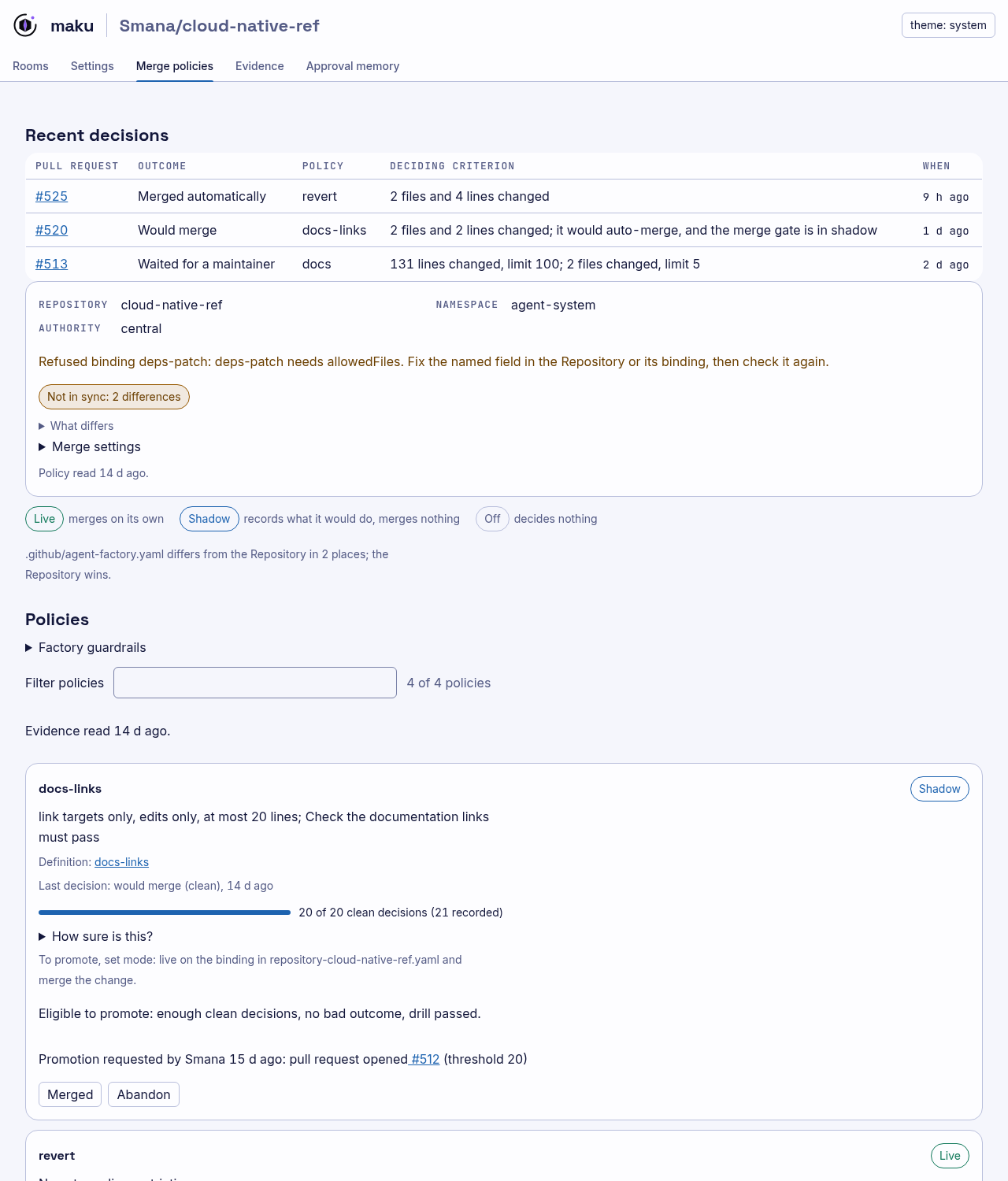
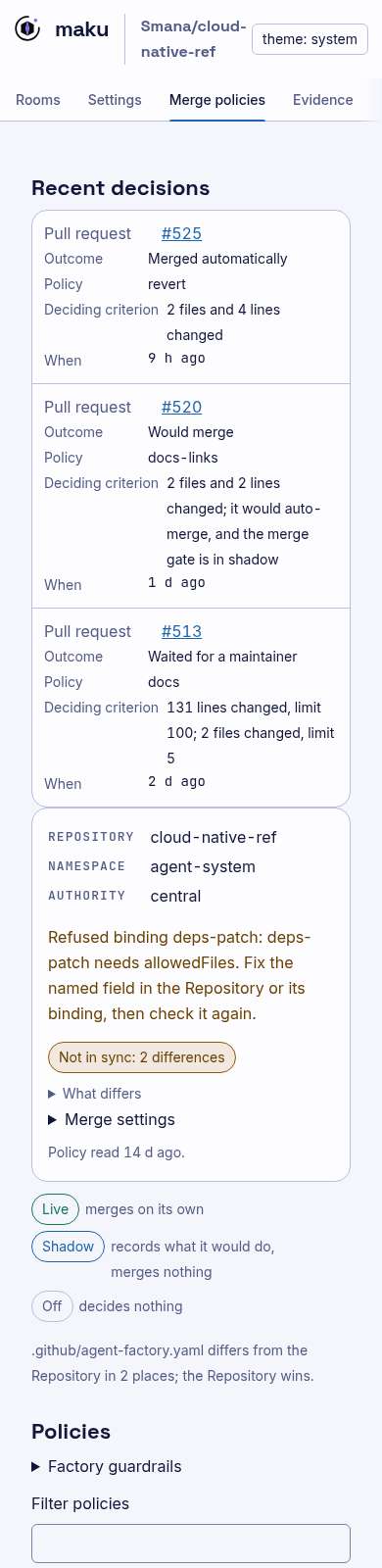
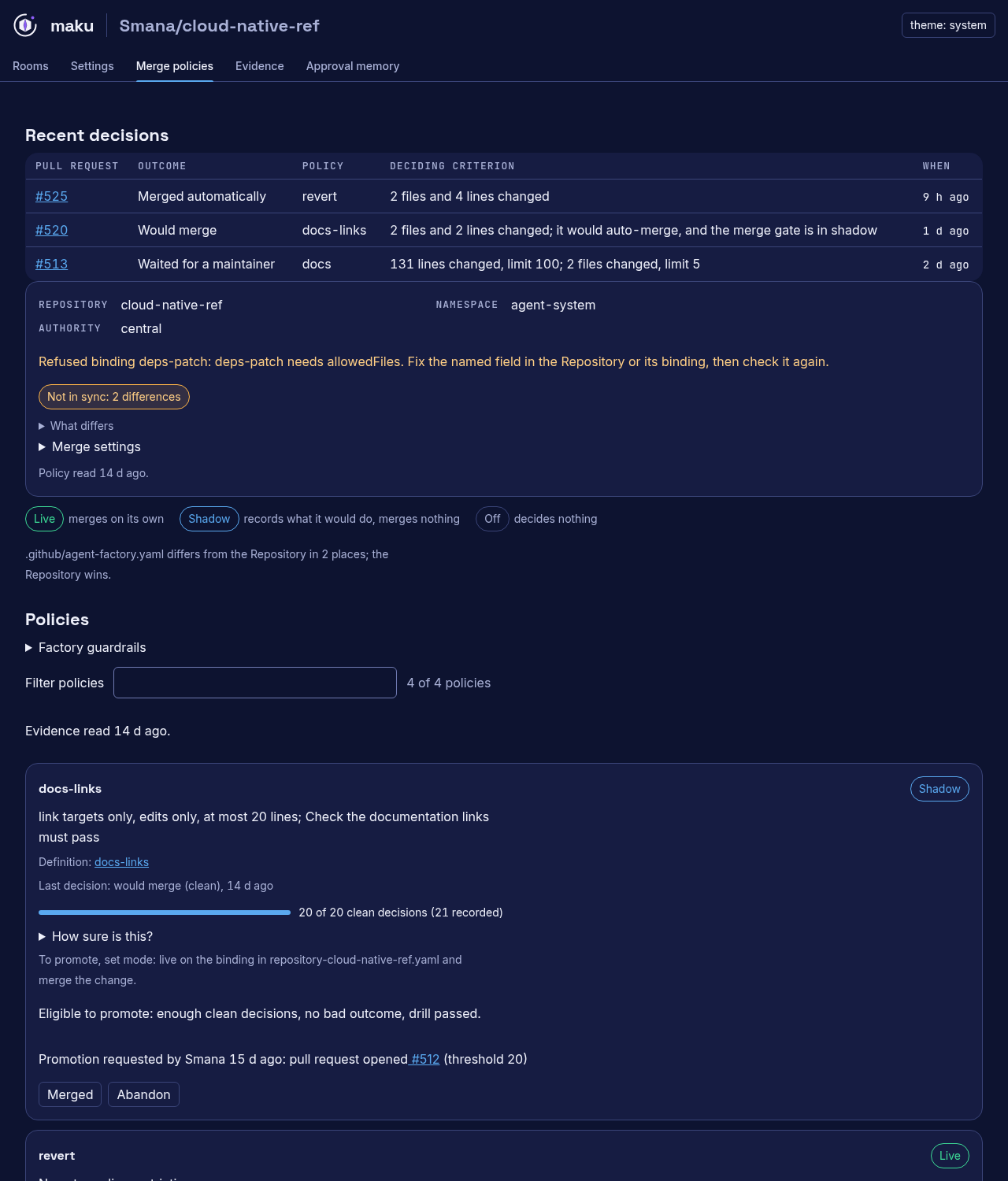
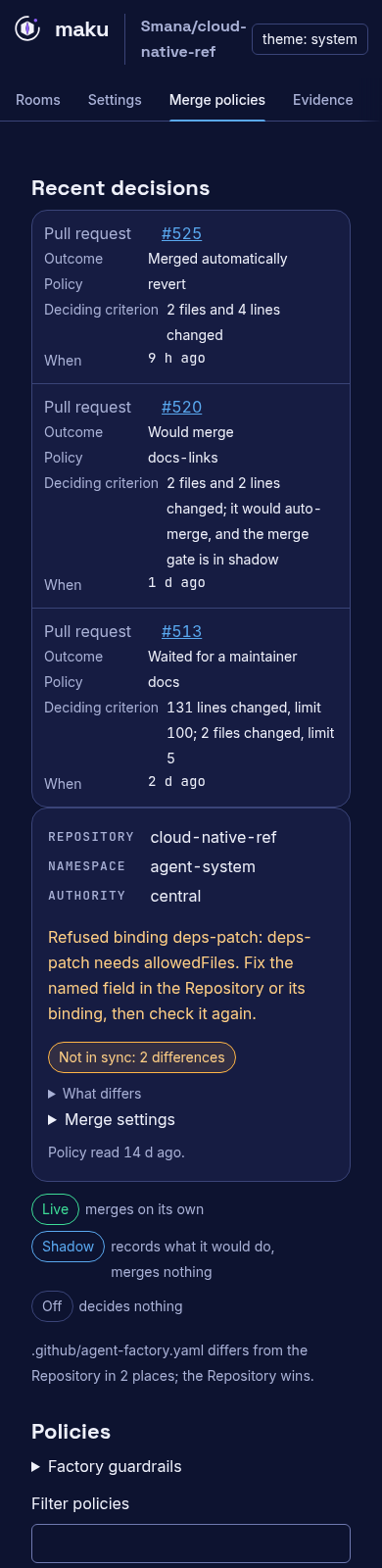
/settings/merge-policies/<owner>/<name> | Recent decisions first, filled in once read (Reading recent decisions… until then): pull request, outcome, policy, deciding criterion with measured files and lines, and age. A refused binding gets one note with its field and fix; a repository with nothing refused has no status chips. Policy cards then say what the policy allows in plain words, with raw patterns behind Show raw file patterns and detailed statistics under How sure is this?. The bindings editor uses an Off / Shadow / Live radio group (Off writes disabled), opens essential fields, and folds valid optional fields into Shape and checks and Expert. Backtest the last 30 days links each changed or unknown pull request with before and after. Under repository authority the file holds the bindings and no Repository editor appears |
/settings/merge-policies/<owner>/<name>/decisions/<pr> | The pull request’s decision timeline |
/settings/merge-policies/policies/<name> | One reusable policy in plain words, the repositories using it, and an editor starting from shipped presets. Each preset offers Show the YAML. Essential fields stay open; valid shape, check and expert fields fold. A repository selector runs the same backtest as the bindings editor. This route is matched before <owner>/<name> |
| /settings/evidence | Every class of every repository you read, in one table: Repository, Class, Mode, Track record (4 of 20 clean merges · 1 bad · 2 awaiting outcome · worst-case bad rate ≤ 75 % · no rollback drill yet, each part explained on hover) and Blocks promotion (the actions above, or eligible). One line above the table says what the 29 / 46 / 61 ladder proves. A row the factory is still reading shows reading GitHub… in its cells, never data-like words |
The repository page is readable at 390 px without horizontal scrolling: decision and backtest tables become labelled rows. Example captures: desktop, light, phone, light, desktop, dark, and phone, dark.
| Who | May |
|---|---|
| A reader of the repository | Read everything above |
A maintainer (write on GitHub), under central authority | Check bindings and backtest edits: each binding resolved or refused, the repository-<name>.yaml manifest to copy and commit, and the pull requests whose decisions change. Promote to live an eligible shadow class. Ask an operator for an exception below the minimum, with a justification |
A maintainer, under repository authority | Promote to live an eligible shadow class: with gitops, the factory opens the one-line pull request and the page links it; without, it shows the proposal and gh pr create command. A maintainer still merges. Records close from served live or an unmerged close, with no Merged or Abandon buttons. Ask an operator for an exception below the minimum, with a justification. A not-migrated page keeps the exception requests: they are the broker’s records |
An operator (policyManagement.operators) | Approve or refuse a requested exception, once |
The Workflows row on a class card says which workflow the repository runs by default, the
other workflows a maintainer may pin, where an out-of-budget or not-converged run escalates, and
each workflow’s roles, description and dollar ceiling (Default standard: roles implementer, reviewer · An implementer and a reviewer. · up to $5.10). A workflow with no template says its
roles are chosen at triage, because the factory picks them from the class. It comes from the
factory’s catalogue, so a class the catalogue does not offer at
intake (revert, an adopted or an oracle class) has no row, and a page whose catalogue the factory
did not answer has none either. The row writes nothing: pinning a workflow is not a setting.
The broker checks each of these on every request; a hidden button is only a convenience.
With four items or more, the repository table and a repository page’s policy cards have a filter
above them. It matches, case-insensitive, every word typed against the repository and Repository
object names, or a policy’s name and mode, shows “3 of 9 repositories”, and names the query with a
Clear button when nothing matches. The query is kept in ?q=, so a filtered page can be shared;
/ focuses the field, except while you type in another one, and Escape clears it.
A policy’s page, in words
A policy’s page opens with the sentence the factory builds about it: what it merges without you,
what checks the meaning of a change, and what is left open (see
holds, agreed, signal-checked). The page prints
that sentence and never builds one: a factory that sends none gets “This factory does not say what
checks this policy’s meaning”. Then one line, Meaning checked by, with the way to add a signal
when nothing checks it; the fields the form does not edit (requires, evidence where no shape or
oracle allows low, monitor, oracle, author), read-only in plain words; and, under
Repositories using it, each binding the reader can see, read-only, linked to the repository’s
page where it is edited.
Every field of the editor carries one help line:
| Field | Help line |
|---|---|
| Files it may change | A pull request that touches any other file waits for a maintainer (file_not_allowed) |
| Files it must never touch | One matching file sends the whole pull request to a maintainer (file_protected) |
| Most files changed, most lines changed | Above this, the pull request waits for a maintainer (patch_too_large). Lines are additions plus deletions |
| Most merges a day | After this many, the next one waits until tomorrow (auto_merge_cap) |
| Edit files only | A file added, deleted or renamed sends the pull request to a maintainer (file_added_or_deleted) |
| Required diff shape | Every changed line must have this shape, or the policy does not apply (class_mismatch). A shape is what lets Maku check the meaning |
| Checks that must pass | Each must report success from GitHub Actions on this exact commit. Skipped counts as failed (holdout_red). A check says something still works, not that the change is right |
| Changes that need approval | A matching file asks a maintainer even when the policy is live (approval_required) |
Required stages (requires) | Tasks touching these files run these stages. A plan and tests together are what let Maku check the meaning of a configuration change |
| Evidence | How many decisions a maintainer must agree with before promotion: 5 when a shape or an oracle checks the meaning, else 20 |
After a merge (monitor) | What Maku watches after a merge, and for how long. Silence here is quiet, not right |
Detector (oracle) | A scheduled workflow names the defects. The pull request must fix exactly those (oracle_unrequested, oracle_finding_open) |
Author (author) | Whose pull requests this policy takes: the factory’s agents, or another bot’s by login and branch |
A guided new policy
Guide me: what kind of change?, above the shipped presets of a policy’s editor, asks three questions and writes nothing: it ends in the editor, pre-filled, where Check the change returns the factory’s sentence and the backtest is.
- What kind of change? A closed list, below.
- What can check its meaning? The suggested signal for that kind and what it takes.
- Where, and how much? Files, the most files and lines, the most merges a day, each with its help line. Open in the editor starts from the served policy of the preset’s name, or from the template when the factory serves none.
| Kind of change | Suggested signal | Preset | Says |
|---|---|---|---|
| Link targets in docs | links-only shape | docs-links | Can go live after 5 agreed decisions |
| Dead links a scan finds | Oracle and links-only | dead-links | Needs a detector workflow in the repository |
| Dependency patch updates | semver-patch shape | deps-patch | Checks the bump, not the release |
| Dependency minor updates | semver-minor shape, shadow only | deps-minor | Stays in shadow until a rendered-manifest proof exists |
| Prose | None | docs | Can go live after 20 agreed decisions |
| Entries a bot adds | None: added-entry bounds the structure | kb-entries | As prose: 20 agreed decisions before it can go live |
| Configuration (alerts, values, manifests) | Test contract: requires: [plan, tests] | alert-rules | Needs a test runner for this file type in the repository |
| Generated or formatted files | Equivalence proof | none | Available when proofs ship |
| Application code | none | none | No policy covers it. A maintainer merges |
A card whose promotion is blocked keeps Promote to live visible and disabled, with one line per blocker and its next step: decisions still needed, wrong calls to read, the rollback drill to run.
Routines
The /routines surface manages upkeep routines (Upkeep routines) for repositories the signed-in caller can read on GitHub. Static routes /routines/catalog and /routines/<owner>/<name>/<routine>/edit are matched before /routines/<owner>/<name>/<routine>.
| Route | Shows |
|---|---|
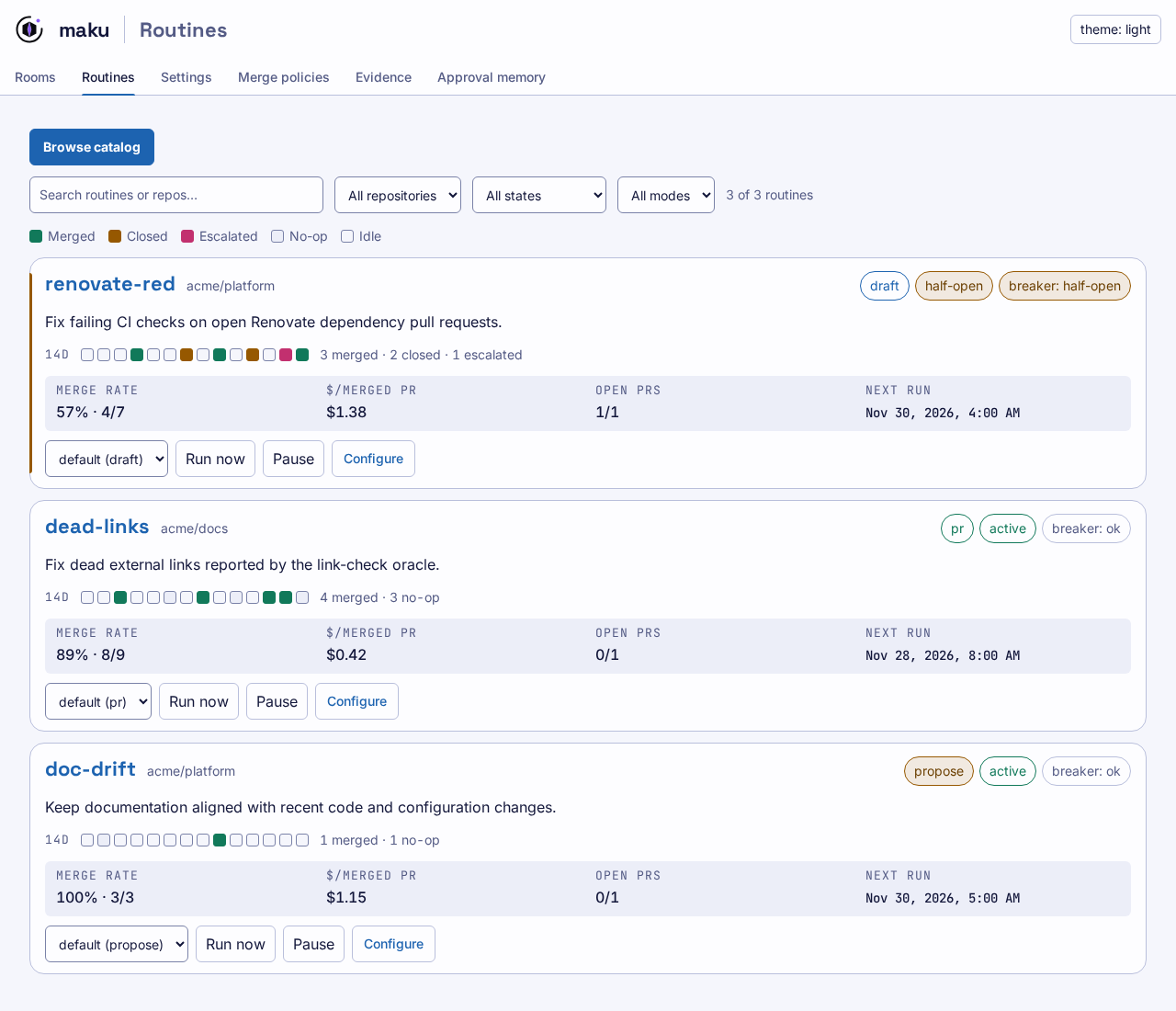
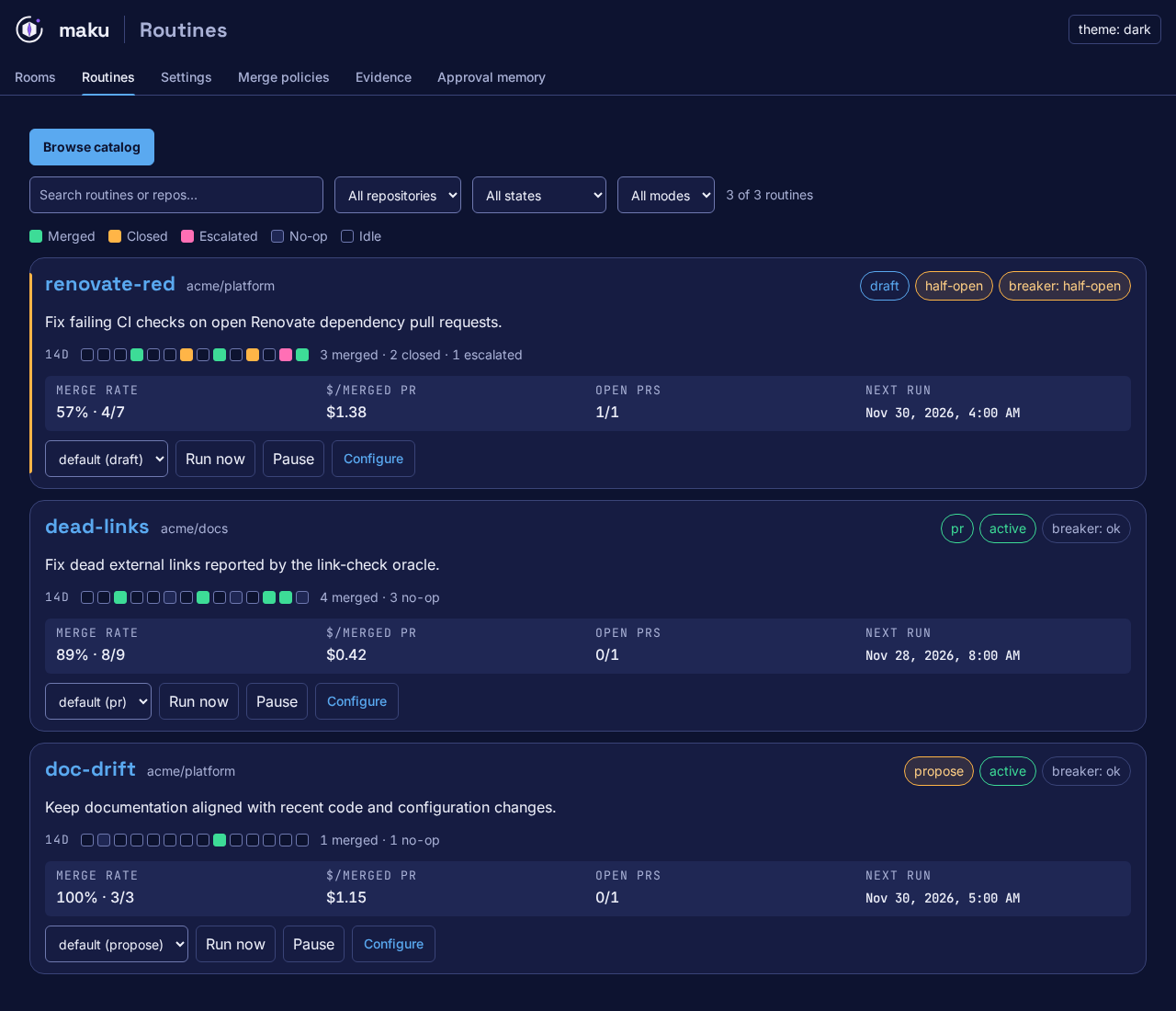
/routines | Overview of bound routines across readable repositories (?repo=owner/name filters to one repository): mode (propose, draft, pr, disabled), source (gitops or ui), operational/breaker status (ok, half_open, paused), 14-day sparkline (merged, closed, no-op, escalated, empty), open PR count vs maxOpenPRs, rolling merge rate, $/merged, next scheduled run (UTC), and maintainer controls (Run now, Pause, Resume). Links to /routines/catalog, each routine’s detail page, and /edit |
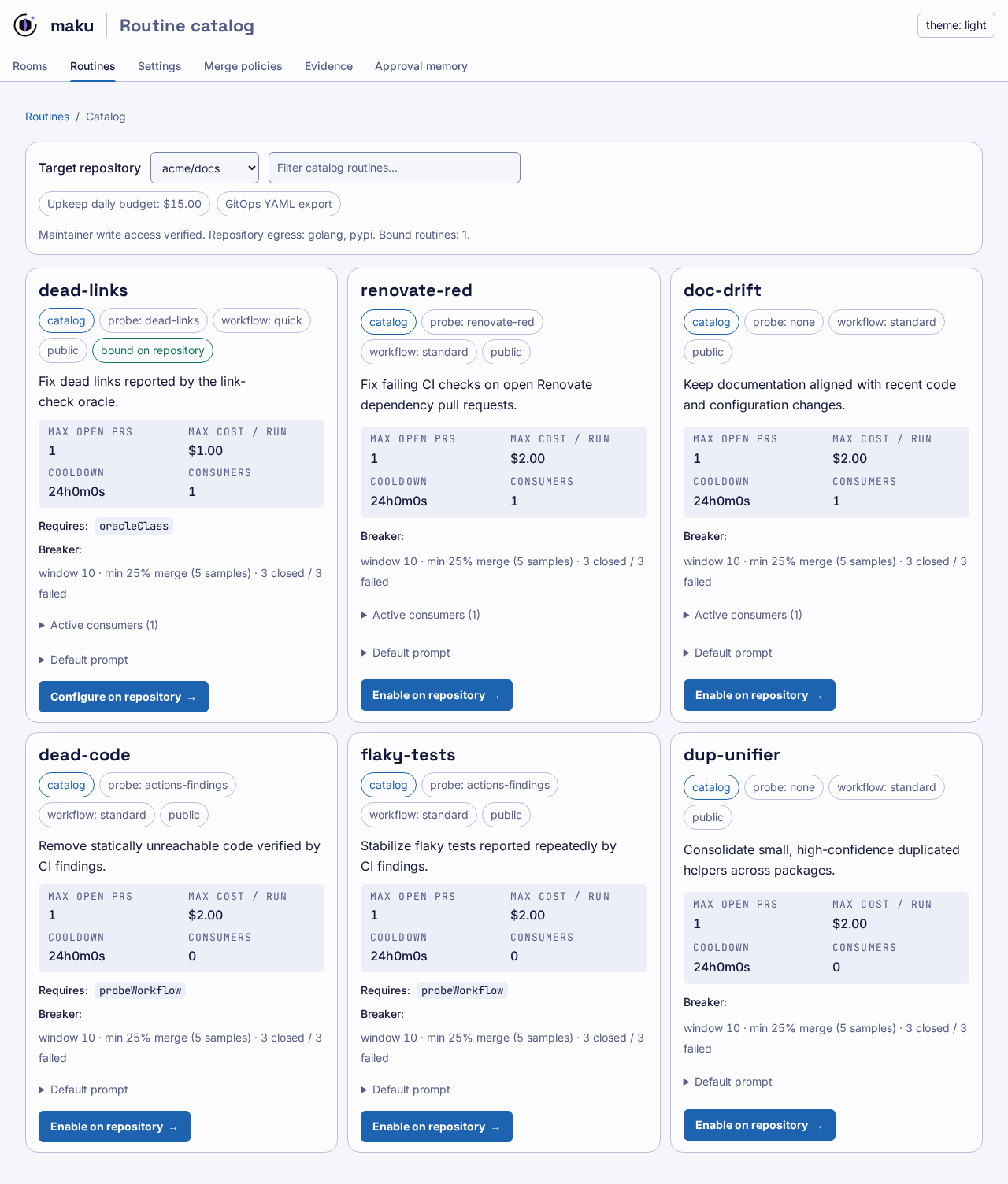
/routines/catalog | Routine Gallery listing every served Routine (catalog and custom) with description, probe kind, workflow, data class, ceilings (maxOpenPRs, maxCostUSD, cooldown), requires[], egress allowlists, breaker defaults, consumer count, and a target repository selector showing bound on repository and Enable on repository → / Configure on repository → |
/routines/<owner>/<name>/<routine> | Detail & Run History: full Routine parameters, defaultPrompt, Prompt SHA (12-char prefix, full SHA on hover), Run history (up to 50 recent Task rows with phase, outcome, PR/room links, cost, prompt source/SHA, and prompt changed marker when the SHA changed from the prior run), and Skip & refusal diagnostics (open_cap, upkeep_budget, breaker_paused, probe_empty, probe_refused, prompt_invalid, cooldown, paused_manual, kill_switch, not_owned, disabled) |
/routines/<owner>/<name>/<routine>/edit | Guided Routine Configurator (see sections below) |
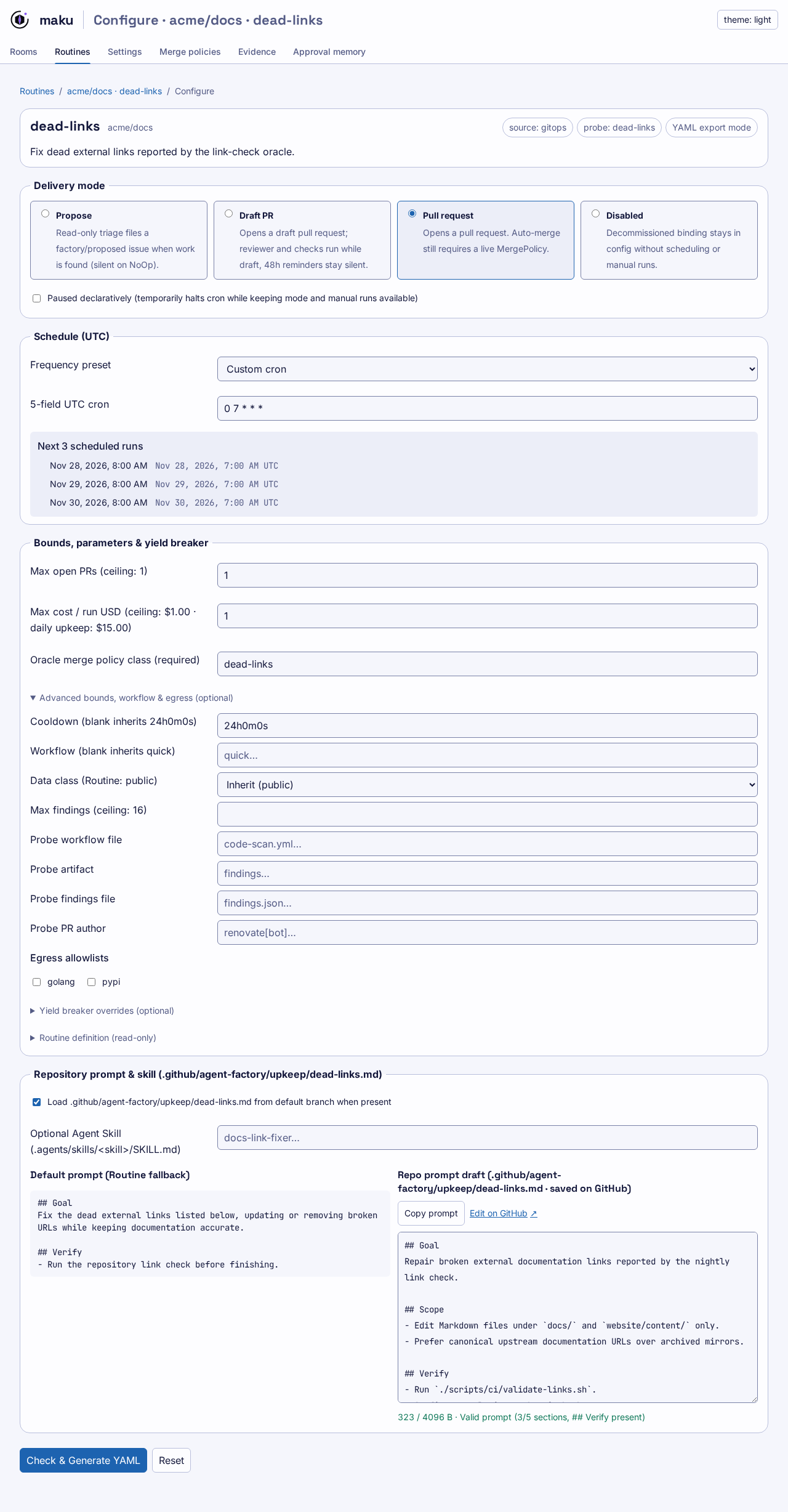
Guided Configurator (/routines/<owner>/<name>/<routine>/edit)
- Delivery mode & pause: radio cards for
propose,draft,pr, anddisabled, plus a Paused declaratively checkbox. - Schedule (UTC): frequency presets (
Daily 03:00 UTC0 3 * * *,Weekdays 03:00 UTC0 3 * * 1-5,Mon & Thu 03:00 UTC0 3 * * 1,4,Weekly Monday 04:00 UTC0 4 * * 1,Custom cron), 5-field UTC cron input, and a live Next 3 scheduled runs preview in local time and UTC. - Bounds, fill-once parameters, egress & breaker: inputs for
maxOpenPRs,maxCostUSD(shown alongsideupkeepDailyUSD),cooldown,workflow,dataClass,maxFindings, any unset fill-once parameter (probeWorkflow,probeArtifact,probeFile,probeAuthor,oracleClass; parameters already fixed onRoutinestay read-only), egress checkboxes intersected with the repository’schecks.egress, and collapsible yield-breaker overrides. Values widening theRoutineare refused (OverRoutine). - Split-view prompt & skill editor: displays
Routine.spec.defaultPromptbeside an editable preview pane for.github/agent-factory/upkeep/<routine>.md, arepoPrompttoggle, an optionalskillinput (.agents/skills/<skill>/SKILL.md), a Create on GitHub ↗ / Edit on GitHub ↗ link, and live validation enforcing UTF-8,<= 4096bytes,<= 5##sections, a## Verifysection with at least one-or*check item, and no control or invisible (Cf) characters. - Check, YAML export & conditional Save: Check & Generate YAML calls
POST /api/routines/{owner}/{name}/previewto validate the binding (and optional prompt text) and renders copyable/downloadablerepository-<name>.yaml(Repository.spec.routines[]). Whenroutines.uiWrite: true, Save to cluster callsPUT /api/routines/{owner}/{name}/{routine}to persist into ConfigMapagent-factory-routine-bindings; bindings already declared inRepository.spec.routines[](orschedules[]) disable Save to cluster in the UI and return409 defined_twice(DefinedTwice). Usemaku config export --routinesto export UI-stored bindings back to GitOps manifests.
| Who | May |
|---|---|
| Repository reader on GitHub | View /routines, /routines/catalog, and /routines/<owner>/<name>/<routine> |
Maintainer with write on GitHub | Trigger Run now, Pause, Resume, validate/export YAML via Check & Generate YAML, and (when routines.uiWrite: true and not GitOps-defined) Save to cluster |
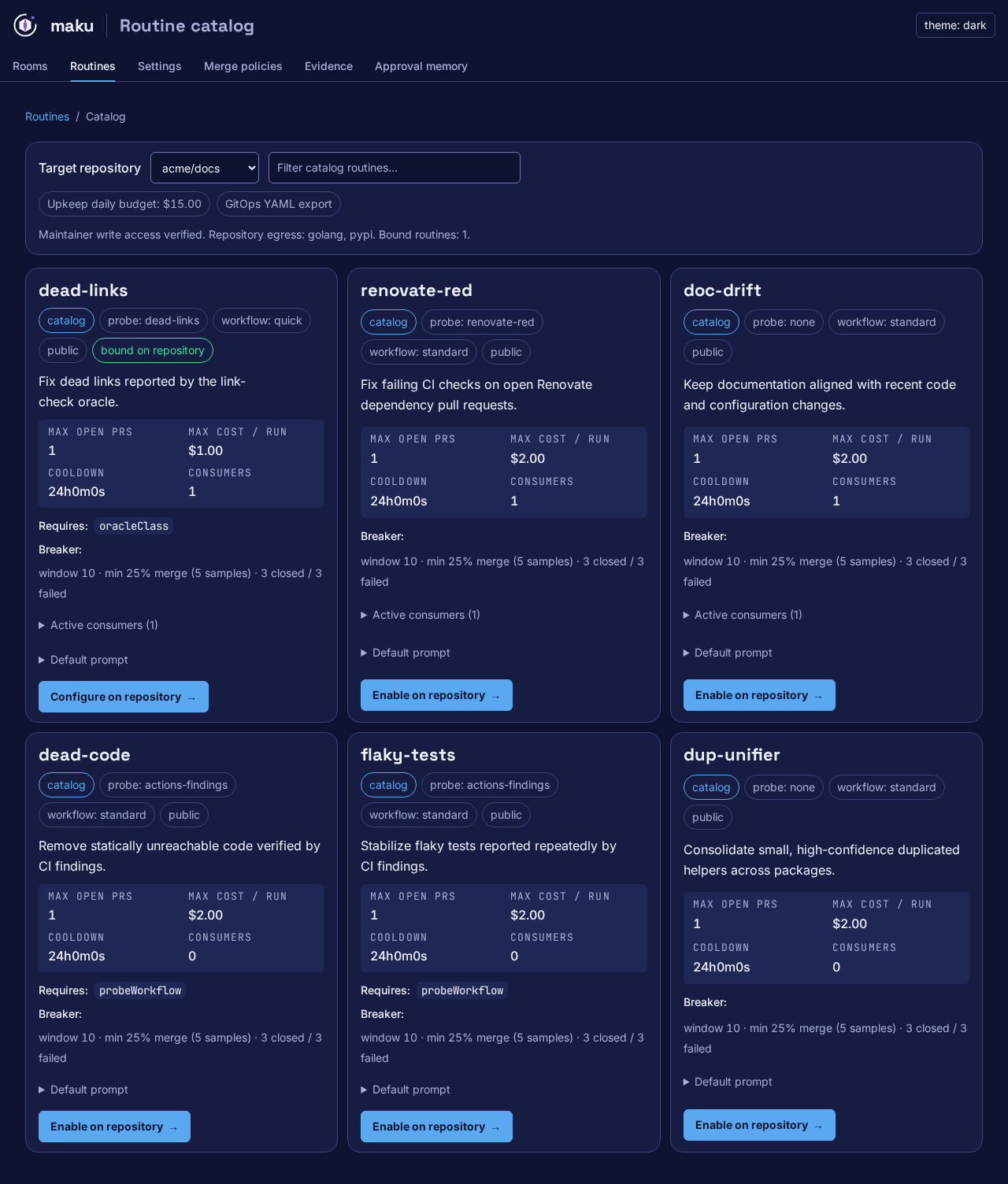
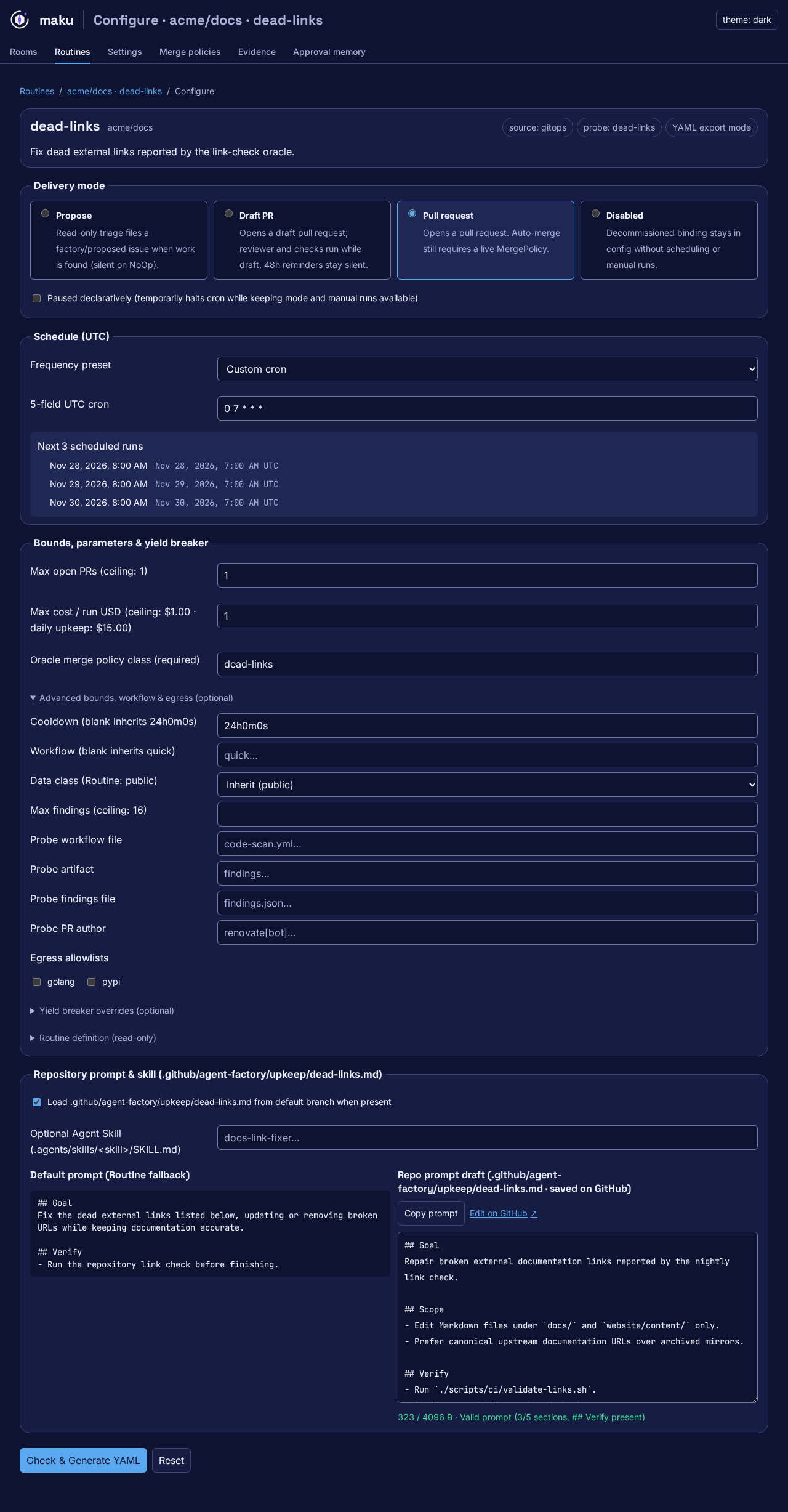
Example captures: overview (light, dark), catalog (light, dark), and configurator (light, dark).
Theme
Every page has a theme button, in the room page’s dock and in the header elsewhere. Each press moves it to the next of three modes:
| Button | Theme |
|---|---|
theme: light | Day: light surfaces |
theme: dark | Night: deep navy surfaces |
theme: system | Day or Night as the OS prefers, following it when it changes; the mode until you choose |
The choice is kept in the browser (localStorage), so it holds across rooms and reloads. Both
themes are the Ogenki design system’s. In each, every text pair and every boundary you must see
(an input, a state border, the focus ring, a status icon) meets WCAG AA; the hairline between
surfaces is decorative. A status is always a word as well as a colour. The design reference is
web/DESIGN.md.
Forks
Pick fork here on a message or handoff to branch the room at that point.
| Question | Answer |
|---|---|
| What is copied | Events 1 to the chosen one, with their seq, then a marker naming the source. The source’s data class, repository and retention. The messages still queued at that point, queued again in the fork |
| What is not | The source’s members: the fork has none |
| Who owns it | You: owner and driver |
| Approvals | A source owner or admin keeps the source’s approval settings; anyone else gets, class by class, the stricter of the source’s and a fresh room’s |
| A first run | Optional: pick a role (and a PR for a reviewer, egress allow-lists for a non-internal room). It starts on a new branch from the latest agent commit at or before the chosen event, on your token and budget. If the run fails, the fork stays made and the panel says why |
| Limits | A prefix over 5,000 events or 32 MiB is refused (too_large): fork from an earlier message. Three forks at once, then one a minute |
| Sealed source | Only its owner or an admin |
Install banner unsafe codes
When the install runs with an unsafe setting, a banner (role="alert") sits above the room list
and every Settings page for as long as the setting stays. It names each one and ends with “Use this
install for demos only.”:
Code (GET /api/install) | Chart setting | The banner says |
|---|---|---|
unsafe_allow_runc | sandbox.unsafeAllowRunc | Runs are not sandboxed |
network_policy_none | networkPolicies.mode: none | Nothing confines a run’s network |
shared_git_token | runController.gitSecret (demo only) | Every role shares one write token |
model_key_in_sandbox | runController.model.mode: secret (demo-only, demoValues) | The model provider’s key sits in every run’s sandbox |
The chart computes the list into the broker’s install.unsafe; the demo shows unsafe_allow_runc,
network_policy_none and model_key_in_sandbox. A room page keeps its own per-run Not sandboxed
banner.
Room list columns
| Column | Shows |
|---|---|
| Needs you | A count of what waits for you: approvals you could decide, a task held on a room you drive or own, a PR waiting for your merge. Empty when nothing does |
| Task | The factory task’s issue number and title; Room <id> for a room with no task |
| Repository | The room’s owner/name |
| Status | The room page’s status line: an icon, a colour accent and fixed words, such as ⏳ Waiting for you — approve a pending action or ✓ Done — merged (the API’s status). The task’s phase, else the room’s, on hover; the phase chip alone when the broker sends no status. On a phone it replaces the repository column |
| PR | #n, when the task has one |
| Last activity | How long ago the room’s log last moved (lastEventAt), the exact time on hover; — for a room with no events |
| Room | The room id |
Sorting and searching the room list
A click on a sortable header sorts the loaded rows (no refetch); a second click reverses it. An arrow and aria-sort mark the active column, and the choice is kept in the browser’s local storage (the default when storage is unavailable).
| Column | First click | Order |
|---|---|---|
Last activity (default) | Newest first | Rooms that need you stay pinned on top in this order only; reversing it or picking another column drops the pin |
Task, PR | Highest number first | Rows with no issue or PR come last in either direction |
Repository | A to Z | Case-insensitive |
Status | Most severe first | failed, waiting for you, escalated or a question on the issue, then a PR to review, another approver, running, queued, stopped, done (the broker’s status kinds) |
Ties fall to the issue number, then the room id: fields a refresh does not change, so the order holds across the auto-refresh.
The Search box filters the loaded rows after a short pause in typing, on the closed view too. #579 or 579 matches that issue or PR number exactly; other text matches the title, repository or room id, ignoring case. Esc clears it. When nothing matches, the table says No rooms match "<query>".
Room page components
From the top:
| Part | Shows |
|---|---|
| Title strip | The status line, the task’s phase on hover. Then the task’s issue number and title, a link to the issue (Room <id> without a task). Then the facts, set as text with a dot between them, in two tiers. Tier 1, what a glance needs, always shown and wrapping: the phase when no status line says it, the run’s persona and how long it has been going (while an agent is in the room), and a Needs you · N button that jumps to the panel below. Tier 2, the rest: the run’s id, model and effort, Tokens 189 k of 1.5 M with a bar (amber from 80 %, red once spent; the percentage on hover), the spend, the PR link (and Issue #N when the title cannot carry it), the last verdict, Data: public or Data: internal (which model backends the runs may reach, on hover), Driven by you, the factory or a short principal (what a driver may do, on hover), and View only when you are a watcher who cannot approve; an owner, collaborator or approver sees no role. When the operator configures human.dashboards, Dashboards: Room · Run · Task links them, filled with the room’s ids, each opening in a new tab; none configured, none shown. The chart’s dashboards take them by uid: /d/agent-room/rooms?var-room={room}, /d/agent-run/run?var-run={run}. Tier 2 wraps open on a desktop and folds behind a Details disclosure, closed, at 640 px and below; crossing that width opens or closes it, and between crossings it stays as you left it. Nothing in the header scrolls sideways. Then a Next box, only while the room waits on something: <why> → <next>, each backticked command set as code with a Copy button, and Your move: <step> only for a step no Needs-you card holds (a link to it on GitHub); an approval, a merge or a question waiting for you is the pill’s, not the box’s. Under merge.approveToMerge the status line says Waiting — review and approve PR #N. An empty box is not shown. In a sealed room, Closed <when> by <who> (or Sealed) instead, with no box. Last, the Now line: what the agent is doing (the latest call, its status, how long ago), a link that opens and focuses that row; No run yet before any run, No run once the agent left, with Start one under Session › Run for an owner or the driver unless the room already says what comes next or its task has ended or it is sealed. The connection is the dock’s, not the strip’s. On a phone the title, the waiting lines and the Now line stop at two lines each, the full title kept as its tooltip. Durations, here and across the page, read the two largest units (40 s, 12 min, 5 h 47 min, 37 d 17 h); a past instant reads its largest unit (12 min ago, 37 d ago, just now under a minute). Where the page shows an age (the run chip, the Now line, the rail’s nodes and steers, the notes, the room list’s last activity), the exact time is on hover; the status line and an approval’s deadline say it in words only. The room list does not tick between refreshes, so its status line leaves a run’s seconds out |
| Needs you | Shown only when something waits. One card per pending approval, decided right there (below); then the PRs waiting for your merge (Approve: rather than Merge: under merge.approveToMerge, where approving the current commit merges it), the issues whose author must answer the scoper (linked to the issue), and the tasks held on your room. A card whose action happens on GitHub ends in a link there and one line naming it: Merging happens on GitHub., Reviewing happens on GitHub., Answer it on GitHub., Fix it on GitHub., Confirm it on GitHub., else This happens on GitHub.; a merge approval, Approve the pull request on GitHub: the merge gate reads the approval there. A viewer who may not decide reads the cards under Waiting for an approver |
| Notes | The latest note from the agents, labelled as the agent’s claim; the earlier ones, newest first, behind a Notes (N) toggle. No notes, no block |
| Workflow | A fold, closed by default, in a room whose task carries status.profile: Workflow · <name> · <cohort>. Inside: the workflow’s source, then the scoper’s recommendation, reason and explanation when present. Observe mode keeps those distinct: the active floor is in the heading, while Recommended names the variant the scoper offered but the factory did not apply. Older rooms and classes without workflows show no block |
| Merge policy | A fold, closed by default, in a factory room once the factory posts its policy: Merge policy · <class> · <mode> (live, shadow or unarmed; gate off when no class is live or in shadow). Inside: the class’s conditions (diff shape, caps, allowed and protected files, holdout checks, adopted logins, approve to merge under merge.approveToMerge), what it takes to merge (the class’s conditions, a maintainer’s approval of the current commit that the merger App merges, or a maintainer’s merge; a pull request touching a gate path always needs a human merge), the gate’s decision when there is one (it would auto-merge, and the merge gate is in shadow is the shadow decision, or how the merger merged it), and the repository’s classes. Read-only: the policy is the factory’s config, changed by a pull request to it |
| Rail | The task’s path, right of the conversation between the strip and the dock (360 px wide): one node per run with its persona, its state or verdict, its age, cost and model, the plan’s next steps dashed after it, the tool calls and the rest on hover or focus. A node also counts the humans’ messages while it ran: ↪ steered ×N (hover or focus lists who and when, “earlier” for those the page has not loaded) and its chat as an icon and a count; notes queued for the next run show as N queued → next run on the next planned step, or after the running node. Below 1100 px it folds into a labelled strip, each run’s persona and its state (“scoper ✓ · tester ✓ · implementer ● · reviewer ○”), that opens it as a drawer (Close or Esc shuts it). The rail has no replay: a finished task’s path is read where it stands. As you scroll, the node whose events are on screen is marked. Clicking a node shows that run’s events in a view of their own, Raw events included, with All runs to return; the page’s address gets #run=<id>, so a link reopens it. The view loads at most 2,000 events of a run; a live run’s keep arriving. A run whose events are not in this room’s log says so. Motion: a new node fades in, its edge draws, a judge verdict ticks, a milestone fills and a new mark or queued chip fades in, all off under reduced motion. Split: a scoper that split the task shows one chip per part (done, dropped, reverted, running or queued) linking to its room, and each part’s rail opens with a “part k of N of #parent” node that links back |
| Conversation | Messages as bubbles, each actor named by room role and short id (you for you); a tool call and its result as one collapsed row; the policy’s decisions as badges on that row, only when not a plain allow or when a person decided. Runs of plumbing (state changes, turns, membership lines) fold into one · turn <id> · N changes line, open on click; a harness error, a seal and a driver change to or from you stay out of the fold. A message longer than about twelve lines shows its start under a fade with Show more, and stays open once you open it, whatever arrives after. Each message and handoff can open a fork |
| Raw events | A fold, closed by default, with every event as the broker wrote it. It is always as current as the conversation |
| Controls | Named groups, each shown only to the standings that use it: Run (start a run as a role; a PR URL for a reviewer, egress allow-lists under advanced), Driver (who holds the token; give, interrupt, request, take with a reason), Queued for the next run (remove; steer now for the driver), and Room, a fold for owners (members, invite, how to stop the task with factory/stop on its issue, cancel task and discard task while the task runs, close). Cancel stops the task now, even when its issue was deleted, and its room reads Stopped — cancelled (Ended: cancelled in Slack); discard also closes the pull request, deletes the agent/<task> branch and closes the issue as not planned: a GitHub App cannot delete an issue. The factory accepts either from the task’s owner or a maintainer of its repository with write on it (not_maintainer otherwise) |
| Dock | Pinned at the foot: the composer (the text, Deliver to — post to the room, queue for the next run’s brief, or steer the running agent — and Send), the page’s notices, the theme button and the connection |
Destructive acts ask first: interrupt, take, steer now, cancel task, discard task and close room turn into
confirm: … beside a cancel, and go back after 10 s, on cancel, or when the control is hidden.
The summary behind the strip, the panel and the notes refetches at most once a second, and only
when an event it folds arrives (a task phase, a limit, progress, a verdict, an approval), not on
every chat line or tool call. A sealed room shows who closed it, has no waiting line, no needs
and no actions, and hides the composer, the Run and Driver groups and the invite. Everything an
agent wrote is shown as text; a URL becomes a link only when it is https. The page keeps the
newest 5,000 events; older ones leave the page, never the log.
A run without gVisor (ALLOW_UNSANDBOXED=1) puts a Not sandboxed banner above the page for as long as it is open.
Approval card and rule classes
When a run is about to do something a human must clear, a card appears in the Needs you panel, where it is decided; the raw events show the same request, read-only.
| Part | Rule |
|---|---|
| The card | Read top to bottom: what the agent wants (plain words), why it stopped (the rule that raised it), if you approve / if you deny (what each answer does), the deadline (Decide by 14:30 (in 22 min); if nobody decides: the request expires and the agent is told no, or No deadline.), and whether you may decide. Then, behind details, the raw command, the class, the run and the raw action as redacted text. All of the plain prose is fixed per rule code; the agent’s words are never the reason. A link takes you to the call’s row while the page holds it. approve and deny with an optional reason; the card leaves once the log records a decision, whoever made it |
| The rules | The broker names the rule by the approval’s class: forge.push (a push to the forge), forge.pr (a pull request opened or changed), forge.other (a command outside the allowlist of shapes the broker can read as safe), mcp.write (an MCP tool not on the read-only list), shell.high (a command its harness flagged high risk), egress.new (a destination outside the run’s egress allow-lists). Any other code reads as a generic policy stop. Denying, or letting the deadline pass, always tells the agent no and nothing of it runs |
| Who decides | An owner, or a member with the approver flag, in the web UI. The card says which case you are in: You can decide, only approvers decide, or, under four-eyes, Waiting for another approver: you prompted this turn. Others see the request but no buttons |
| First decision wins | The first valid decision stands; every later one, and a superseded request, answers already_decided. One that reaches the broker after the deadline answers approval_expired, even before the sweep has closed it |
| Four-eyes | When the room requires it, nobody who prompted the turn may decide it: not whoever requested the run, steered it, or wrote a queued message it consumed |
| Reason | Optional, up to 1 KiB, redacted. The agent reads it |
| Expiry | 30 minutes in an attended room; the room’s configured delay (default 4 hours) in an unattended one. An expired request is denied |
| An expired card | At the deadline, by your browser’s clock, the card stops offering a decision in place: Expired where the deadline was, and No one decided by 16:30, so the agent was told no. It can ask again. No approve, deny or reason; details stays, and the focus moves to the card if it sat on a button. It counts for neither the Needs you pill nor the status line from then on, as the server’s needsYou drops it, and leaves when the broker’s sweep records the expiry (within about 30 s). With only expired cards left, the panel’s heading reads Expired: no one decided |
| Superseded | A request whose call already ran, or whose run has left, is closed without a decision |
Sources: docs/api.md (approvals, decide), web/src/controls.ts (approvalCard), web/src/needs.ts, web/src/approval-help.ts (the prose per rule code).
Action refusal reasons
A refused action shows its reason in the dock. Source: web/src/controls.ts.
| Reason | What it means | What to do |
|---|---|---|
not_permitted | Your role, or this client, does not allow it; or the factory refused you a run | Check the table above; ask an owner to invite you with a wider role |
stale_epoch | Someone else holds the driver token now | Read the new holder, try again if it still applies |
rate_limited | Over 10 actions a second, or over the fork limits | Wait and retry |
no_running_run | Nothing is running to steer or interrupt | Queue the message for the next run |
room_busy | A run is already running, or one was just requested and has not joined | Wait for it to join or end |
reviewer_needs_pr | A reviewer has no PR to review | Give the PR’s URL |
over_budget | The factory refused the run: you are over your budget | See the factory |
factory_unavailable | The run could not be requested now | Retry |
bad_action | The request was malformed, or a give went to someone who cannot drive | Check the fields; give to a member who can drive, or the room’s system holder |
not_queued | The message was already delivered or removed | Nothing |
sealed | The room is closed and takes no more actions | Fork it, if you own it or are an admin |
conflict | The room changed at the same moment | Retry |
log_unavailable | The room’s log is unavailable | Retry |
already_decided | Another approver decided first | Nothing |
approval_expired | The decision reached the broker after the deadline; the request was denied as expired | Nothing: the agent may ask again |
four_eyes | The room needs an approver who did not prompt the turn | Ask another approver |
not_permitted on a protected-path push | Its approval needs an approver who writes to the repository on GitHub | Ask a maintainer |
access_unverified | GitHub could not confirm you write to the repository, for a protected-path push | Retry |
too_large | The fork would copy over 5,000 events or 32 MiB | Fork from an earlier message |
Other rooms-side outcomes: a 404 on the page means no such room or no access (the same
answer on purpose); creating a room fails with 400 for a data class or repository not
accepted, 404 when you cannot read the repository, 503 when your GitHub access cannot be
checked.